

How to vet used items for sale in the USA: a practical tech guide
A practical checklist for tech readers evaluating used items for sale in the USA, covering safety, verification, and trusted processes with clear steps.

If you buy used tech, you care about authenticity, safety, and value. This guide walks you through a practical checklist you can apply before you click “buy.” You’ll learn which details to verify, how to assess condition, and how to protect yourself when buying used items for sale in the USA.
The first steps focus on preparation: knowing what you want, understanding common risks, and setting a reasonable budget. With a clear plan, you can compare listings confidently and avoid common misfires that waste time and money.
The later sections translate general caution into concrete actions you can perform in real time—checking seller credibility, evaluating device history, and choosing the safest payment and delivery options.
- Plan your search with clear needs and a checklist. Verify listings, test devices, and choose safe payment methods.
- Balance cost against risk by comparing marketplace protections and direct-seller tradeoffs.
- Always document checks, tests, and outcomes for every potential purchase.
- This guide helps you approach used items for sale in the USA with technical prudence and discipline.
Basics to verify before buying
Assess listing credibility
Begin with the listing’s detail level. Look for clear photos, model numbers, and serials when available. Cross-check the item against official specs to spot obvious mismatches. used items for sale in the USA are easier to verify when you use a reputable marketplace.
Ask for more photos and a short video showing the item powered on. If the seller hesitates, it’s a red flag that should slow your pace.
Be wary of deals that seem too good to be true; prioritize trusted marketplaces with buyer protections. A well-documented listing often correlates with better post-purchase support.
- Request verification photos
- Check model numbers
- Look for return policy
- Confirm shipping origin
- Review seller feedback
Verify history and condition
Ask for the device’s history, including prior ownership and any repairs. A complete history helps you gauge reliability and expected lifespan.
Request service records or receipts if available, and verify them with the manufacturer’s support channels where possible.
Understand the condition notes: cosmetic wear versus functional issues, and how faults were addressed. This clarity guides pricing and expectations.
- Obtain serial or IMEI if applicable
- Request proof of ownership
- Check for refurbished status
- Ask about battery health and tests
How to test tech safely
Test core functions
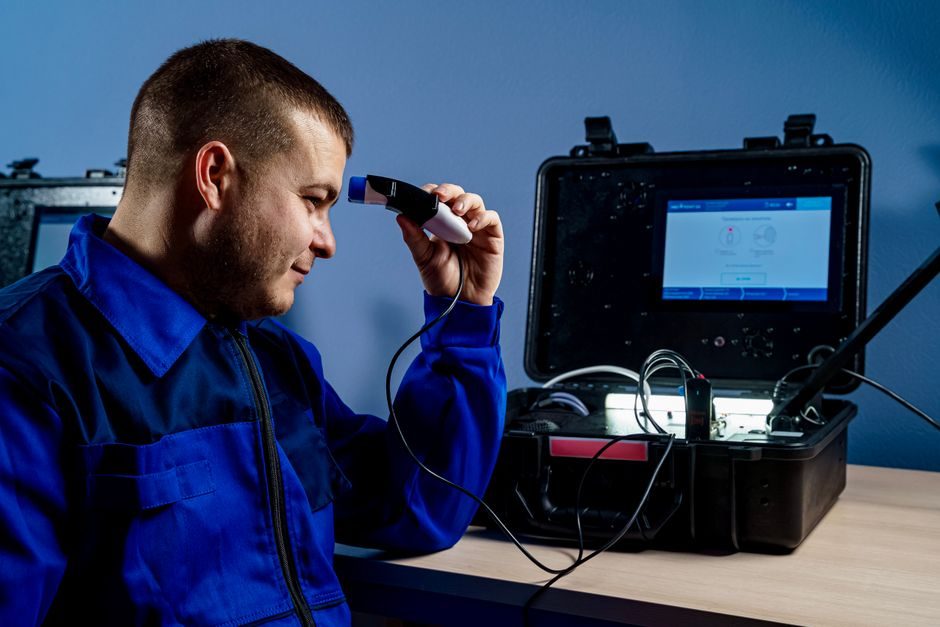
Check power, charging, and basic operations in a controlled setting. Avoid plugging in if the device shows obvious damage that could pose safety risks. Keeping up with the latest news USA helps you spot notable changes in consumer protections for used tech.
Run essential features: boot sequence, screen, speakers, and wireless radios. Note any glitches and how they behave.
If possible, run a diagnostic app to verify hardware integrity and firmware version, comparing against official release notes.
- Power on test
- Display and touch calibration
- Connectivity checks
- Storage and memory tests
Plan safe payment and delivery
Choose secure payment methods that offer buyer protection. Avoid direct transfers or cash when dealing with unknown sellers.
Prefer tracked shipping and require signature on delivery for high-value items. Inspect packaging for tamper evidence upon arrival.
If something feels off during transit or at receipt, pause the process and contact the platform’s support.”
- Use escrow when possible
- Track shipment closely
- Document delivery condition
- Know return windows
Options for sourcing used tech
Marketplace versus direct seller
Marketplaces offer buyer protections and standardized policies, which reduce risk for complex purchases. Direct sellers can mean lower prices but higher risk if verification is weak. Community events in the USA can be a source for local exchanges and hands-on testing.
- Marketplaces simplify protections.
- Direct sales may require more diligence.
Compare return windows, warranty status, and the ease of dispute resolution. A balanced choice often marries price with protection.
Always verify seller identity and cross-check listing history to spot patterns that signal reliability or risk.
- Check platform guarantees
- Review seller response times
- Assess warranty transferability
- Review dispute process
| Scenario | Risk level | Recommendation |
|---|---|---|
| Marketplace with protections | Medium | Use buyer protections and verify seller credentials |
| Direct seller with no history | High | Request detailed history and prefer insured shipping |
| Refurbished with records | Low | Review refurbishment details and warranty terms |
New versus refurbished items
New items should come with authentic packaging and clear warranties; refurbished items require a transparent refurbishment record.
Ask for the refurbisher’s name and the exact components replaced. If the seller can’t name them, treat the listing with caution.
Weigh the price delta against potential reliability issues and post-purchase support options.
- Request refurbishment details
- Check warranty terms
- Inspect packaging integrity
- Confirm serials match listings
Be cautious of short timelines and pressure tactics; take time to verify every claim.
Pitfalls to avoid

Common red flags
Vague descriptions and missing photos often mask hidden faults. Unfamiliar brands with aggressive pricing can indicate counterfeit risk. USA business listings can reveal reputable resellers with clear return policies.
Avoid listings with inconsistent serial numbers or conflicting device histories. Prioritize verifiable details over promises.
Be cautious of short timelines and pressure tactics; take time to verify every claim.
- Sparse listing data
- Unverifiable history
- Pressure to buy fast
What to do if things go wrong
If the item arrives nonfunctional, document issues with photos and contact support promptly. A quick claim increases your chances of a fair outcome.
Know your platform’s return policy and the deadline to file a dispute. Preserve packaging and receipts for evidence.
Evaluate alternative fixes or credit options before accepting a partial refund.
- Document damage with photos
- Open a formal dispute quickly
- Consider credit instead of refunds
- Keep all correspondence
Advanced verification techniques
Cross-check provenance details
Start by tracing the item’s origin from the seller’s history and any available receipts. Compare model numbers, firmware versions, and serials against official records where possible. Look for inconsistent dates or mismatched specifications that suggest tampering or misrepresentation. obituaries in the USA
- Confirm the item's origin with receipts or service records
- Match serial numbers to official databases where possible
- Request multiple, recent photos showing the item in use
Verify seller credibility through consistent communication and verifiable contact information. Ask for high-resolution photos of the item in use, and request original packaging or accessories. If the seller hesitates, treat the listing with caution and seek alternatives or a protected payment method.
- Request serial numbers and run them through official databases
- Ask for recent photos showing the item powered on
- Check for firmware version or build date against public release notes
- Look for seller-provided maintenance or repair history
Security and privacy considerations

Data handling and access
When buying used tech, assess how data is stored and wiped. Demand proof that factory resets were performed and that no accounts remain linked to the device. For devices capable of data recovery, understand the implications of residual data. Be prepared to reset or reimage the device yourself if needed.
Evaluate network and account risks before purchase. Check whether the device has unknown configurations, backdoors, or remote access enabled. Plan to run secure resets in a controlled environment and change all passwords after purchase.
Consider whether the purchase introduces new privacy liabilities, especially for devices that collect data via sensors or cameras. If you’re unsure, factor in the cost of professional data sanitization or professional setup to mitigate risk.
- Ask for proof of data wipe
- Ensure factory reset is complete
- Plan for post-purchase security updates
- Change account credentials promptly
Ethical sourcing and sustainability
Impact of reuse on supply chains
Reused items can reduce e-waste and extend product life, but sourcing must respect legal and ethical guidelines. Track whether the seller complies with local electronics laws and export restrictions. Consider the broader impact on labor conditions and environmental practices involved in refurbishing and resales.
Ask about refurbishment processes, testing standards, and any certifications the seller recognizes. Prefer vendors who document test results, battery health, and component replacement records. This transparency helps you compare value without sacrificing ethics.
Be mindful of counterfeit risks in the used market and assess whether the seller provides verifiable authenticity checks or warranty options. A responsible approach balances price with accountability and long-term reliability.
- Look for refurbished certifications
- Ask for battery health reports
- Check for clear warranty terms
- Avoid listings with vague or missing refurbishment details
Automation and future checks

Smart tooling for quick vetting
Use automation to speed up repetitive checks like price comparisons and model validation. Create a checklist automation that flags incomplete listings or mismatched specs. This saves time and reduces human error in quick-buy scenarios.
- ☐ Define checks for model accuracy and price alignment
- ☐ Implement alerts for anomalies
- ☐ Automate post-purchase follow-ups
Incorporate lightweight scans and trusted data sources to verify each item’s authenticity and expected performance. Automations can trigger alerts when a listing diverges from standard configurations, prompting a closer manual review.
Plan for ongoing monitoring after purchase, such as firmware update reminders and security patch cycles. Automation should support a smooth transition from purchase to setup without exposing gaps in protection.
- Set up price-alarm rules
- Automate model-number checks
- Schedule post-purchase update reminders
- Enable authenticity flags in listings
Frequently asked questions
What should I do first when evaluating a used item for tech projects?Start with provenance: confirm seller identity, item history, and any service records. Then verify functionality through a controlled setup, avoiding improvisation that could damage the device. Documentation should guide every claim.
How can I minimize data risks on refurbished devices?Demand a factory reset with verification, reimage if needed, and prompt post-purchase credential changes. If possible, install fresh firmware and ensure no accounts are linked to the device prior to use.
Is it safer to buy from local sellers or marketplaces?Local sellers offer in-person checks and immediate returns, which reduces risk. Marketplaces can provide buyer protection and return policies, but you should still verify item history and test results before finalizing.
What red flags should stop a purchase immediately?Missing serial numbers, vague refurbishment details, unwillingness to share test results, or inconsistent model data are strong warning signs. If in doubt, walk away and seek alternatives with clearer documentation.
Conclusion
Takeaways in plain terms: verify provenance, secure data handling, and document everything from the start. A disciplined checklist helps you avoid common missteps and protects both buyer and seller.
Next steps: build a personalized vetting routine for your typical tech categories and price bands, then refine it as new devices enter the market.

Add Bitcoin Altcoin & Crypto Coin News Analysis as a preferred source on Google


