

How to source tech gear safely from used items in London
A practical guide for tech readers: identify trusted marketplaces, assess item condition, and avoid scams when buying used items for sale in London.

If you’re buying used tech in London, you need a plan that covers risk, verification, and value. This article explains how to spot reliable sellers, evaluate device health, and minimize hassle with clear steps. You’ll learn practical checks you can perform before handing over cash or a virtual payment.
First, understand the landscape: reputable listings can come from established marketplaces or direct seller posts. Next, learn a concise checklist for hardware health, security, and compatibility. Finally, apply a decision framework that weighs price against risk and effort.
By following a structured approach, you’ll reduce surprises and feel confident negotiating and inspecting items, whether you’re shopping for laptops, phones, or peripherals.
- This guide helps tech buyers assess used items for sale in London with a focus on hardware health, software integrity, and safe buying practices.
- You’ll learn concrete checks, negotiation tactics, and risk mitigation to protect your purchase.
- Use the provided test plans, decision framework, and table to compare options without guessing.
- The article emphasizes practical steps over hype, ensuring readers make informed decisions.
Basics of buying used tech
Assess seller credibility
Start with the seller’s history and profile if available, and look for detailed item descriptions. Ask direct questions about condition, battery health, and original accessories. Compare listings to spot inconsistent language that signals low effort or misrepresentation. used items for sale in London can be found on multiple platforms and marketplaces.
Best-practice checks include requesting photos from multiple angles and a functional demo if possible. Always verify the item model, serial number, and any warranties that might transfer.
If a seller hesitates or provides vague answers, consider walking away. A cautious stance protects you from overpaying for faulty hardware or stolen goods.
- Ask for device proof like receipts or original packaging
- Request current screenshots or videos of the device in use
- Cross-check serial numbers with the manufacturer
- Prefer listings with clear fault disclosures
- Avoid private listings that refuse to provide details
Test for hardware health
A practical pre-purchase test focuses on battery, display, keyboard, and ports. If you can’t run tests in person, request a short video showing the device powering on and performing basic tasks. Check boot time, fan noise, and any error messages.
For phones and tablets, inspect the screen for dead pixels, discoloration, and touch responsiveness. Look for signs of water damage or screen replacement that might affect performance.
Document any defects and compare them to typical wear for the model. Use this as a basis for negotiation rather than accepting vague assurances.
- Power on and run essential apps
- Check battery charging and health indicators
- Inspect ports for corrosion or looseness
- Look for signs of screen repair or water exposure
- Verify that the device boots cleanly every time
How to verify software and security

Check software status
Confirm the operating system is genuine and up to date. Look for unauthorized admin accounts or unremovable backups. A cleaned device should reset to factory settings with correct license status. For updates and context, read new posts from individuals and media with insight at newspost.uk news.
- Ensure OS integrity and licenses.
- Demand a factory reset or clean reinstall.
- Document security-related details before purchase.
If in doubt, request a fresh install or a factory reset video. This reduces the risk of hidden malware or pirated software. Record the device’s current OS version and security patches.
Be wary of devices with locked accounts or unknown passwords. These often point to prior ownership issues or potential lockouts.
- Ask for the latest OS installer or recovery media
- Verify firmware updates and firmware integrity
- Check for device encryption status
- Inspect for known malware indicators
- Seek clear license and activation details
Plan for data privacy
Data privacy matters with used items because previous owners may have lingering information. Before purchase, instruct the seller to remove all personal data and perform a factory reset. If they can’t, walk away.
Bring a portable data wipe tool if you’re meeting in person, and avoid devices with unsecured backups or cloud accounts linked to the seller. For devices you’ll reuse in sensitive projects, consider hardware verification steps beyond a simple reset.
Respect local laws and account policies when handling data from used devices.
- Require factory reset confirmation
- Avoid devices with unknown accounts
- Use secure erasure tools if possible
- Check cloud account status on the device
- Document the data-clearing steps taken
Where to buy and what to avoid
Choosing trustworthy venues
Choose marketplaces or known local sellers with return policies and clear seller ratings. In London, look for listings that show multiple photos, timestamps, and a straightforward price. Favor sellers who offer a brief, honest condition report. Community events in London can be a source of word-of-mouth tips for where to inspect gear.
Compare options across a few sources to balance price with risk. A higher price from a reputable seller often reduces total risk when you factor in potential returns, tests, and support.
Always confirm meeting logistics and authentication steps before exchanging money.
- Prefer reputable platforms with buyer protection
- Ask for return windows or demos
- Request item photos from different angles
- Check seller response time and clarity
- Avoid unusually low prices that tempt shortcuts
| Option | Pros | Cons |
|---|---|---|
| Marketplace A | Broad selection, buyer protection | Variable quality, need careful vetting |
| Direct seller | Potentially lower prices, faster | Less transparency, limited recourse |
| Specialist refurbisher | Certified condition, warranties | Higher cost, limited availability |
Negotiation tactics
Negotiation should focus on verifiable factors rather than emotional leverage. Start with a clear condition-based offer: price reduced for any issues found in your test. Document discrepancies as you go.
Offer alternatives like bundled accessories or a small test period to satisfy both sides. A fair compromise can preserve trust and reduce the risk of disputes.
If the price is non-negotiable, insist on a short return window or paid certificate of authenticity where available.
- Base offers on verifiable faults
- Propose practical concessions
- Use a test period to build trust
- Request documentation or receipts
- Keep records of all communications
Ask for recent photos and a live demo; insist on a direct authentication step with the manufacturer if feasible.
Pitfalls and how to avoid them
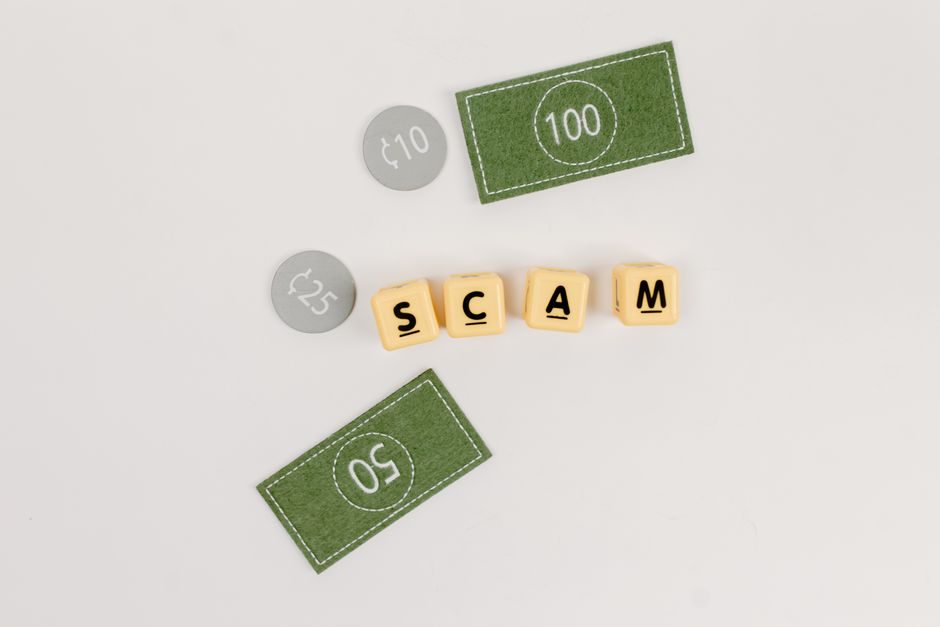
Common scams to recognize
Be alert for counterfeit or misrepresented components, inconsistent serial numbers, and unavailable seller corroboration. A long storage or shipping delay can hide a problem with the device. If something seems off, pause the deal. Local business directory in London lists shops and repair services that sometimes offer certified used equipment.
- Relying on photos alone
- Skipping a factory reset
- Ignoring basic security checks
Ask for recent photos and a live demo; insist on a direct authentication step with the manufacturer if feasible. Scammers often avoid in-person audits and provide generic excuses.
Trust your instincts and verify critical details before exchanging payment.
- Ask for serial numbers and verify
- Request a live demonstration
- Prefer in-person audits when possible
- Check for unusual payment methods
- Walk away from rushed deals
Post-purchase steps
After the transfer, secure the item by updating passwords and revoking old access. Run a full malware scan and reinstall essential software with fresh licenses. Keep receipts and serial numbers for future support requests.
If problems arise, use any available return window to address issues or seek seller mediation. Maintain a brief audit trail of tests and communications for future reference.
Consider upgrading protection with a device management plan if you frequently buy used gear for projects.
- Change all passwords
- Reinstall OS and apps
- Keep records of transaction details
- Use buyer protection where possible
- Plan for future audits and updates
Choosing sustainable tech upgrades
Assess long-term value before buying
Start with the total cost of ownership, not just upfront price. Compare repairability, spare parts availability, and software support windows across models. Look for modular design or upgrade paths that extend device life. place a death notice in London
- Choose gear designed for easy repair and upgradability; this extends lifecycle.
- Look for warranties that cover hardware and key software for several years.
- Consider resale value as a signal of durable design.
Evaluate energy use and cooling requirements, especially for high-performance gear. A slightly slower or older component may reduce energy bills and heat output. Favor devices with user‑replaceable parts where feasible to keep future reuse practical.
- Prioritize repairability over novelty
- Choose models with common, widely supported components
- Check for official software update policies
- Avoid devices with discontinued parts cycles
Security-first setup

Create a safe baseline for new gear
Begin with a clean install protocol: reset devices, update firmware, and enable automatic security patches. Disable unnecessary services and remove unused apps to reduce attack surfaces. Establish strong, unique passwords through a manager rather than reuse.
Disable universal local access and enable multi‑factor authentication where possible, especially for admin accounts. Regularly review connected devices and permissions in the network. Keep a log of changes to catch misconfigurations early.
Develop a simple incident runbook for common events like password loss or device theft, with clear steps and contacts.
- Perform factory reset before setup
- Enable MFA on all critical accounts
- Register devices with a trusted recovery method
- Document network changes and policies
Managing multiple devices
Coordinate devices without chaos
Plan a clear labeling system for each device, charger, and cable to prevent mix-ups. Use a centralized charging station to minimize energy waste and reduce clutter. Regularly audit devices to remove those no longer needed from the network.
- ☐ Label and inventory every device
- ☐ Centralize charging to reduce waste
- ☐ Maintain consistent software baseline
Set up a consistent software environment across items—same OS version, same security tools, and same app set when possible. This reduces compatibility issues and simplifies maintenance. Keep a record of each device’s warranty and service history for quick reference.
Develop a routine for firmware checks across the fleet and schedule updates during low‑usage windows to minimize disruption.
- Label cables and power bricks consistently
- Use a single charging hub
- Track devices with a simple inventory log
- Establish uniform software baseline
Future-proofing your gear

Plan for upgrade paths and longevity
Choose platforms with confirmed upgrade options, like memory or expansion bays, rather than one‑and‑done products. This keeps your setup viable as needs change. Factor in potential shifts in software requirements and what that means for drivers and compatibility.
Estimate how long you’ll rely on the device and whether a modest upgrade could extend that period. Avoid gear that would soon become a bottleneck for new applications or security features.
Build a staggered refresh plan that aligns with project cycles or budgeting. This reduces spikes in spending and keeps tech current.
- Prefer scalable hardware
- Assess software compatibility trajectories
- Schedule gradual refreshes
- Avoid devices with limited upgrade routes
Frequently asked questions
How can I verify the age of used tech before buying?Ask for serial numbers, check the device’s warranty status with the manufacturer, and request a smoke test or boot sequence demonstration. Cross‑check the model against known production timelines and verify that firmware is current enough for your security needs.
What’s the safest way to transport used gear?Pack devices in padded cases, keep accessories separate, and avoid stacking heavy items. Use anti‑static bags where appropriate and carry important data or credentials separately. Inspect for external damage on arrival and test basic functionality before committing to setup.
How often should software be updated on used devices?Run essential security updates as soon as they’re available and compatible. For devices with long‑term support, maintain the recommended update cadence to balance risk and stability. Disable auto‑updates only if you have a controlled change management process.
What makes a second‑hand purchase suitable for critical work?Look for a device with a track record of timely security patches and a path to supported software. The device should have a simple repair route and replacement parts, plus a clear policy on data sanitization and re–deployment.
Practical steps for mindful sourcing
A steady approach to buying used tech focuses on durability, security, and maintenance. Start with a clear upgrade plan and a simple inventory system so you can track what you own and what needs attention.
Apply a security‑first baseline to every device in the fleet, ensuring patches are current and access is controlled. A consistent setup prevents surprises and makes troubleshooting faster. Next, map out future needs and identify upgrade paths that stretch each purchase farther.

Add Bitcoin Altcoin & Crypto Coin News Analysis as a preferred source on Google


